Skip to content
EG Sigma Developer

EG Sigma Developer

  • GuidesExpand
    • Build your first app
    • Sample Code
    • Distribution
    • General
  • Support
  • Courses
  • EGDK
EG Sigma Developer
EG Sigma Developer

Build your first app

4
  • Build your first app – Overview
  • Preparing
  • Writing your code
  • Bundle

Distribution

6
  • Distribution – Overview
  • Distribution procedure
  • Package API
  • App Concepts
  • Sigma Bundle Files
  • Packages

General

3
  • API Reference
  • Getting Help
  • Custom Validation Rules

Sample Code

6
  • Sample Code – Overview
  • Export to CSV and Excel
  • Ini files
  • Basic webservices
  • Basic UI settings window
  • Auth2 tokens
View Categories
  • Home
  • Docs
  • Build your first app
  • Preparing

Preparing

< 1 min read

Getting started #

In order to start building and executing your first app, you need to have Sigma installed. The code itself can be written in any editor, however execution and debugging of the source code must be done from the build-in AppScript editor. Therefore we will start showing you how to open and use the editor:

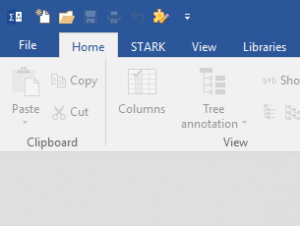
  1. Open the AppScript-editor by pressing the small icon or use the hotkey ALT+F12:
  2. You should now see the editor and can start applying the code:
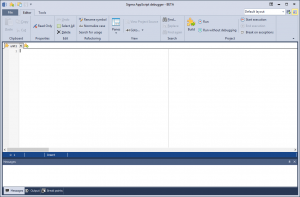
 
All source code files is somewhat Pascal language and therefore ends with .pas. If you have Sigma associated with Sigma-files, the editor will automatically open .pas-files.

Updated on May 7, 2019

What are your Feelings

  • Happy
  • Normal
  • Sad

Share This Article :

  • Facebook
  • X
  • LinkedIn
  • Pinterest
Build your first app – OverviewWriting your code
Table of Contents
  • Getting started

© 2026 EG Sigma Developer

  • Guides
    • Build your first app
    • Sample Code
    • Distribution
    • General
  • Support
  • Courses
  • EGDK